 SOC Anywhere
Your SOC, In Your Pocket
Native iOS and Android apps for triaging Microsoft Defender for Endpoint incidents from anywhere. Evidence, playbooks, AI analysis, and triage actions, all built for a phone screen.


Why mobile triage matters
Security incidents do not follow office hours. A significant portion of Defender incidents occur outside the 9-to-5 window, and the first person to see them is usually checking their phone, not at a desk with the security portal open.
The Microsoft Defender portal technically works on mobile, but it was designed for large screens. Pinch-zooming through dense tables and waiting for heavy page loads means most people decide it can wait until they are at a computer. That delay is where response times suffer.
SOC Anywhere is built around the assumption that the first triage decision happens on a phone. The interface, information hierarchy, and available actions are all optimised for that context. We wrote more about the reasoning in mobile security operations: handling Defender incidents on the go.
Everything you need on a small screen
SOC Anywhere is not a simplified viewer. It is a complete incident triage workflow that works on a phone.
Incident overview
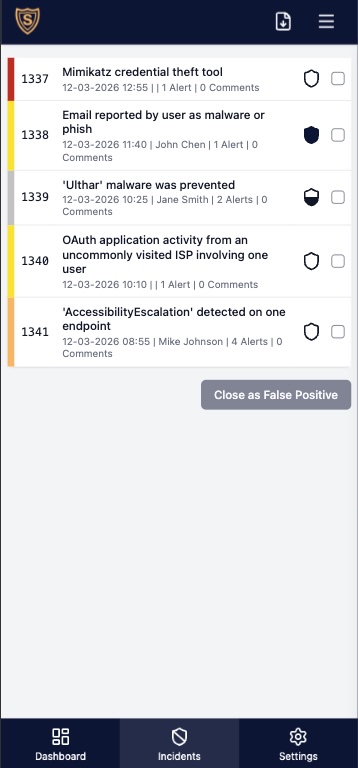
All active Defender incidents with severity, status, alert count, and assignment. Filters persist across sessions and the list auto-refreshes every two minutes.
Full evidence detail
Devices, users, IP addresses, files, processes, URLs, and Azure resources, with direct links back to the Defender portal for deeper investigation.
Playbooks and knowledge base
Incident-specific playbooks appear automatically when matching alerts are detected. Prior evidence notes surface alongside the incident.
Related incidents
Other incidents sharing the same evidence are shown in a dedicated tab. Filter by evidence type to spot recurring patterns.
AI analysis
Automated incident summaries powered by OpenAI. Initial assessment, key findings, and suggested next steps, cached per incident for instant loading.
Comments
Post comments directly from the app. They sync bidirectionally with the Microsoft Defender portal so colleagues working in the portal see them too.
Triage actions
Update status, set classification and determination, assign to team members, and manage tags. Admins can create one-tap action buttons that bundle multiple operations.
Dashboard and analytics
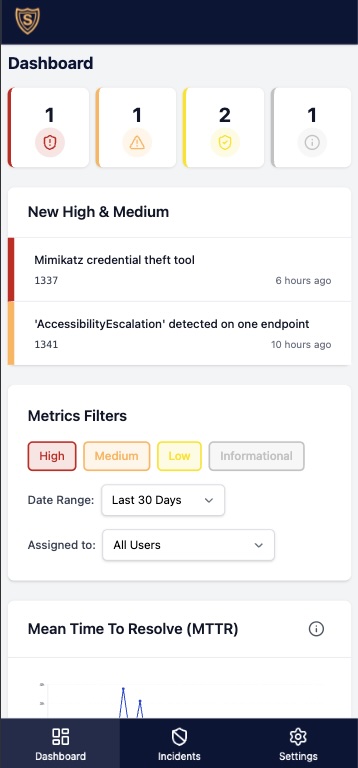
Active incident summary with severity breakdown plus MTTR and MTTT charts, filterable by severity, user, and date range.
Native apps and web app
Choose the experience that works best for you. Both share the same backend, features, and data.
Native iOS & Android
Built with Flutter, the native apps deliver reliable push notifications via Firebase Cloud Messaging and a fully native experience on your device. Download from the App Store or Google Play.
Progressive Web App
Works in any browser and can be installed on your home screen for an app-like experience with push notifications. Nothing to download, always up to date.
Open Web App →Not just a mobile viewer
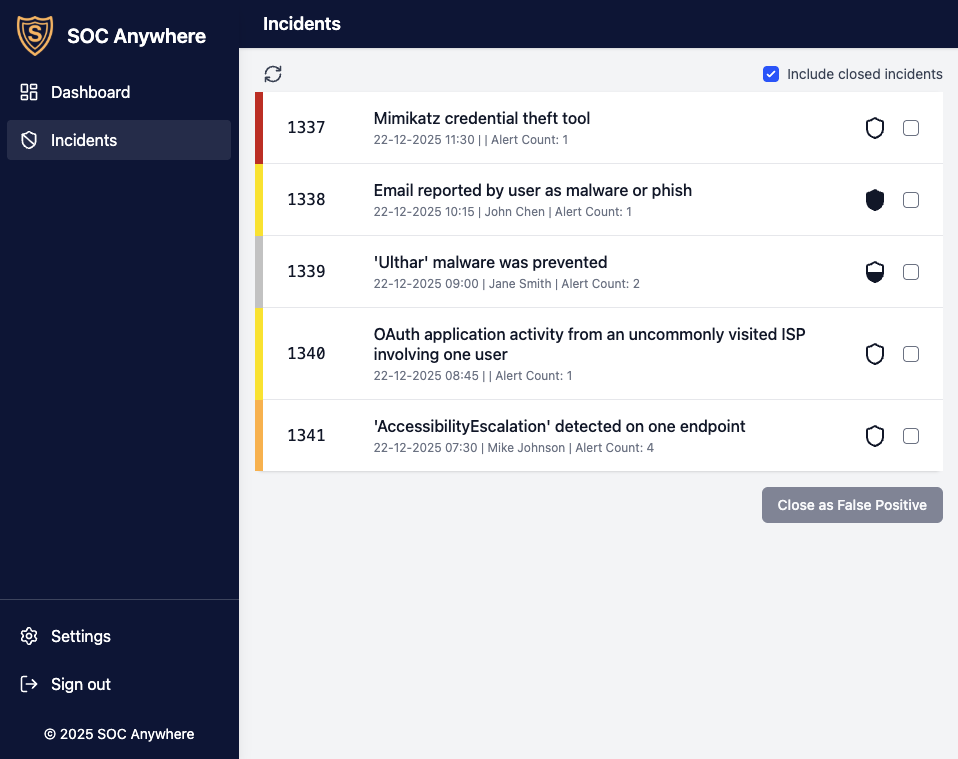
The same interface works on phone, tablet, and desktop. Many teams use SOC Anywhere as their primary Defender interface because the incident list, evidence rendering, and triage actions are faster than navigating the Microsoft Security portal, even on a large screen.
- Responsive layout optimised for every screen size
- Dashboard with severity breakdown and team performance metrics
- MTTR and MTTT analytics filterable by severity, user, and date range
- Custom shortcuts to advanced hunting and investigation tools
- Direct integration with the Microsoft Defender portal
See It in Action
Watch how SOC Anywhere works on your phone, from push notification to incident triage.